
Uniqkey - password manager3.8.1 - App Store
You'll be able to see results in few seconds.
Publisher Description


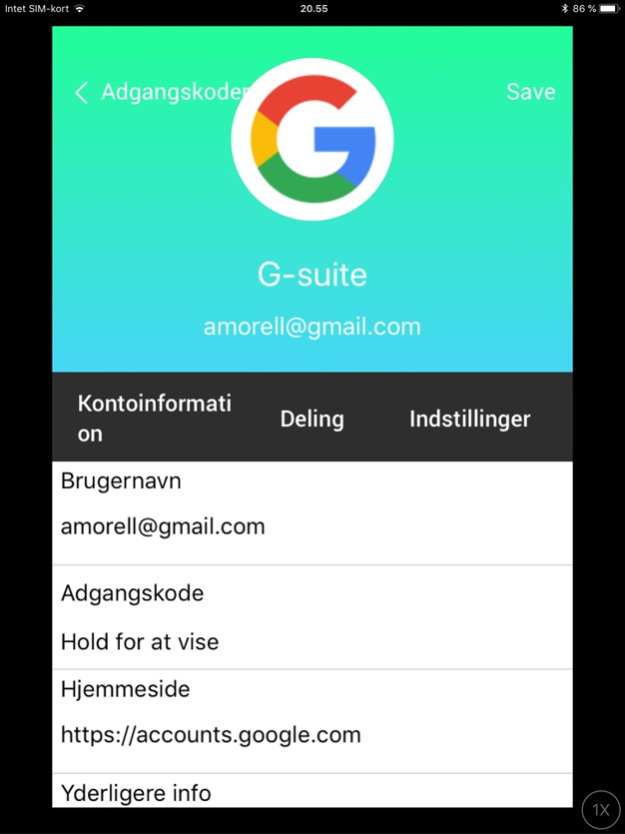
PROTECT YOUR ONLINE SERVICES AND PASSWORDS WITH EASE BY USING UNIQKEY
The amount of online services we use is increasing everyday, which makes it more difficult to keep track of the passwords we use and to protect our logins and data.
Uniqkey is an intuitive and automated password manager, which helps you keep track of your passwords and automatically log you into your favorite services.
Increase your overall password security score by using the built in password generator. It can generate up to 72 digit unique string. Integrated in the password manager is also an automated 2-factor authenticator, which protects your data against data breaches and unwanted logins.
Uniqkey provides secure access control and management for your cloud-services and creates a complete overview of your logins, services and passwords.
KEY FUNCTIONS
Password Manager
With our password manager you don't have to remember all of your passwords or fear forgetting them. Uniqkey password manager automatically remembers your logins and enters your credentials when you wish to login to one of your services.
Automatically 2-factor authentication
By using the built in automatic 2-factor authenticator you can protect your services and data against attacks or breaches without extra hassle. Uniqkey automatically enters your “one time password” for you and provides an important extra layer of security.
Share your passwords and logins easy and secure
Share you login or password with friends, family or colleagues with a single touch and remove their access in an instant without revealing your password.
Get rid of unsecured and leaked passwords
Avoid using reused and weak passwords. Uniqkey informs you about weak and unsecured passwords and provides you with an overall security score of your passwords, so you can optimize and change your passwords with our password generator.
Focus on high security levels and standards
All passwords are encrypted with a personal key and is stored locally on your phone. This means that Uniqkey does not store your passwords or have access to them in any way. Only encrypted data gets transmitted through our services.
Furthermore Uniqkey encrypt the users data with an extra layer with a 128-bit key, which only we know. In this way your data and passwords is further protected and makes the data harder to decrypt.
- Your master password is used to encrypt all your data locally on your phone and before transmitted
- Uniqkey is based on zero-knowledge-protocol, which encrypts all traffic on our network and authenticate external servers before transmitting your data through TLS / SSL.
Uniqkey also offer our users:
- Use your biometric ID such as Touch ID, Face ID, your pinkode or similar access technology to log into Uniqkey
- Built in password generator which can generate up to 72 digit passwords
- Security overview of all your passwords and their security scores
- In app support
Start protecting your passwords with Uniqkey today.
Nov 28, 2024
Version 3.8.1
Minor bug fixes
About Uniqkey - password manager
The company that develops Uniqkey - password manager is UniqKey ApS. The latest version released by its developer is 3.8.1.
To install Uniqkey - password manager on your iOS device, just click the green Continue To App button above to start the installation process. The app is listed on our website since 2024-11-28 and was downloaded 0 times. We have already checked if the download link is safe, however for your own protection we recommend that you scan the downloaded app with your antivirus. Your antivirus may detect the Uniqkey - password manager as malware if the download link is broken.
How to install Uniqkey - password manager on your iOS device:
- Click on the Continue To App button on our website. This will redirect you to the App Store.
- Once the Uniqkey - password manager is shown in the iTunes listing of your iOS device, you can start its download and installation. Tap on the GET button to the right of the app to start downloading it.
- If you are not logged-in the iOS appstore app, you'll be prompted for your your Apple ID and/or password.
- After Uniqkey - password manager is downloaded, you'll see an INSTALL button to the right. Tap on it to start the actual installation of the iOS app.
- Once installation is finished you can tap on the OPEN button to start it. Its icon will also be added to your device home screen.
Program Details
System requirements
Download information
Pricing
Version History
version 3.8.1
posted on 2024-11-28
Nov 28, 2024
Version 3.8.1
Minor bug fixes
version 3.8.0
posted on 2024-08-19
Aug 19, 2024
Version 3.8.0
bug fixes
version 3.7.0
posted on 2024-08-13
Aug 13, 2024
Version 3.7.0
Performance updates
version 3.6.7
posted on 2024-03-06
Mar 6, 2024
Version 3.6.7
Minor bug fixes
version 3.6.6
posted on 2023-11-02
Nov 2, 2023
Version 3.6.6
bug fixes
version 3.6.5
posted on 2023-09-01
Sep 1, 2023
Version 3.6.5
minor bug fixes, security updates
Disclaimer
Official App Store Link
We do not host Uniqkey - password manager on our servers. We did not scan it for viruses, adware, spyware or other type of malware. This app is hosted by Apple and passed their terms and conditions to be listed there. We recommend caution when installing it.
The App Store link for Uniqkey - password manager is provided to you by apps112.com without any warranties, representations or guarantees of any kind, so access it at your own risk.
If you have questions regarding this particular app contact the publisher directly. For questions about the functionalities of apps112.com contact us.
